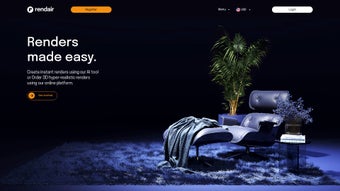

Download Rendair – AI Rendering Software for Architecture, Interior Design & Real Estate
Overview
Rendair positions itself as a next‑generation, cloud‑based rendering engine that was built from the ground up for architects, interior designers, landscapers, and real‑estate professionals. The core idea behind the platform is to eliminate the repetitive, time‑consuming steps that have traditionally plagued the creation of photorealistic visualisations. Instead of filling out lengthy quotation forms, negotiating rates over phone calls, or waiting days for a draft, users simply upload a floor plan and let Rendair’s artificial‑intelligence engine generate an instant, transparent price quote.
This automation not only speeds up the sales pipeline but also reduces the likelihood of human error in cost estimation. Once a project is approved, the system creates an express first‑draft within minutes, giving designers a solid visual foundation that can be refined through a series‑of‑correction rounds. The ability to duplicate projects means that variations—such as different material palettes, lighting scenarios, or furniture layouts—can be produced without rebuilding the model from scratch.
Collaboration is baked in: secure shareable links let clients, contractors, and consultants provide feedback in a single, controlled environment, eliminating endless email threads and version‑control headaches. All work is stored in an intuitive dashboard where both completed and in‑progress renderings are organised for quick retrieval. While the platform shines in speed, accuracy, and collaboration, it does charge a modest fee for each additional correction beyond the initial free round, and a native mobile app is still on the roadmap.
Overall, Rendair offers a comprehensive, subscription‑based solution that helps design professionals accelerate their workflow, improve client communication, and close more projects with confidence.
Key Features & Benefits
- AI‑Driven Quote Automation: Upload any floor plan (PDF, DWG, JPEG, PNG, SVG) and receive an instant, accurate price estimate based on dimensions, complexity, and desired output resolution. This eliminates manual calculations and accelerates the pre‑sales process.
- Express First Draft Delivery: Within minutes the platform produces a high‑quality 3D visualisation, allowing you to present concepts to clients faster than traditional rendering pipelines.
- Unlimited Project Duplication: Clone existing projects with a single click to explore alternative finishes, lighting conditions, or furniture layouts without re‑modeling, saving countless design hours.
- Multi‑Round Corrections: The first three correction rounds are free, giving you flexibility to fine‑tune details. Additional rounds are available for a small fee, ensuring you only pay for the exact amount of work you need.
- Secure Collaborative Sharing: Generate shareable links with view‑only or edit permissions, embed them in emails or client portals, and keep all feedback within a single, encrypted environment.
- Integrated Project Management Dashboard: Organise renderings, set status tags, assign deadlines, and track progress—all from a clean, tile‑based interface that reduces administrative overhead.
- Versatile Export Options: Export high‑resolution stills, 3D floor plans, immersive virtual tours, and even VR‑ready assets, making it easy to reuse visuals across marketing, presentations, and client meetings.
- Transparent Subscription Pricing: Choose from monthly or annual plans that include a set number of renders and correction rounds. Optional credit packs let you scale up during peak periods without changing your plan.
Together, these features provide a seamless end‑to‑end workflow that not only speeds up project turnaround but also improves the overall quality of client communication. By reducing manual steps, Rendair allows design teams to focus on creativity rather than technical bottlenecks, ultimately leading to higher client satisfaction and more closed deals.
Installation, Usage & Compatibility
Because Rendair is delivered as a cloud‑based web application, there is no traditional software download or local installation required. To get started, visit the official website, create an account, and select a subscription tier that matches your expected workload. The onboarding wizard walks you through profile setup, payment details, and a short tutorial that demonstrates how to upload floor plans, request quotes, and manage projects.
Once logged in, the main dashboard presents a clean, tile‑based layout. To start a new rendering, click the “New Project” button, drag‑and‑drop your floor plan (PDF, DWG, DXF, JPEG, PNG, or SVG), and let the AI parse the layout. Within seconds an instant cost estimate appears; you can approve it or adjust the scope before the rendering queue begins.
After approval, the system automatically assigns the job to a processing pipeline and notifies you when the first draft is ready. Corrections are handled through an intuitive comment system: simply mark areas on the draft, add notes, and submit the request. The AI processes the feedback and returns an updated version, typically within a few minutes.
Since the platform runs entirely in a web browser, it is compatible with all major operating systems—including Windows 10/11, macOS 12+, Linux distributions, and Chrome OS. The service supports the latest versions of Chrome, Firefox, Edge, and Safari, ensuring a consistent experience across desktops and laptops. While a dedicated mobile app is not yet available, the responsive web design allows you to view projects and share links from smartphones or tablets, albeit with limited editing capabilities.
Security is a top priority. All data transfers are encrypted with TLS 1.3, and project files are stored on servers that comply with GDPR and ISO 27001 standards. Users can enable two‑factor authentication for added protection. In summary, Rendair’s cloud‑first approach eliminates compatibility headaches, provides instant access from any internet‑connected device, and keeps your renderings safe and readily available whenever you need them.
Pros and Cons
Pros
- Lightning‑fast AI quote generation removes manual estimation and speeds up the sales cycle.
- First drafts delivered within minutes accelerate client approvals and reduce project lag.
- Unlimited project duplication saves time when exploring design alternatives.
- Secure sharing links streamline collaboration without the chaos of email attachments.
- All‑in‑one dashboard simplifies project organization, status tracking, and deadline management.
- Cross‑platform browser access eliminates OS restrictions and hardware constraints.
- Transparent subscription pricing with optional credit packs provides predictable budgeting.
- High‑quality export options (stills, tours, VR assets) support diverse marketing needs.
Cons
- Additional correction rounds beyond the free allowance incur a small per‑round fee.
- No dedicated native mobile app yet; mobile experience is limited to viewing and sharing.
- Reliance on internet connectivity means offline work is not possible.
- Advanced users may miss the granular control offered by traditional 3D software packages.
- Initial learning curve for teams unfamiliar with AI‑driven workflows, requiring short onboarding time.
Frequently Asked Questions
How does Rendair generate a price quote from a floor plan?
The AI analyzes the uploaded floor plan for dimensions, room count, and complexity. It then references a pre‑defined cost matrix that accounts for rendering resolution, material libraries, and expected correction rounds to produce an instant, transparent estimate.
Can I use Rendair for landscape or exterior visualisations?
Yes. Rendair supports both interior and exterior projects, including landscaping, site plans, and full‑scale 3D tours. The AI automatically detects outdoor elements and applies appropriate lighting and material presets.
What file formats are accepted for floor plan uploads?
Rendair accepts PDF, DWG, DXF, JPEG, PNG, and SVG files. The platform automatically extracts vector data when available, improving the accuracy of the quote and the resulting 3D model.
Is there a free trial or demo version?
New users can start with a 7‑day free trial that includes up to three renderings and two correction rounds. No credit card is required; simply sign up, upload a plan, and experience the full workflow.
How secure is my data on Rendair’s cloud servers?
All data is encrypted in transit with TLS 1.3 and at rest with AES‑256. Rendair’s infrastructure complies with GDPR, ISO 27001, and undergoes regular security audits. Two‑factor authentication can be enabled for added account protection.
Conclusion & Call to Action
Rendair delivers a compelling blend of AI‑powered speed, collaborative flexibility, and cloud‑based convenience that directly addresses the pain points of modern architectural and interior‑design firms. By automating quote generation, offering instant first drafts, and enabling seamless project sharing, the platform helps professionals close deals faster and allocate more time to creative problem‑solving. While the extra‑fee correction model and the absence of a native mobile app are minor drawbacks, they do not outweigh the productivity gains for most users. If you’re ready to modernise your rendering workflow, eliminate endless email exchanges, and present clients with stunning visualisations on a predictable schedule, now is the perfect moment to give Rendair a try.
Start your free 7‑day trial today, explore the AI‑driven features, and experience how a single web‑based tool can transform the way you design, communicate, and win projects.
Overall Rating: 4.5 / 5
Pros: Fast quotes, rapid first drafts, easy collaboration, cross‑platform access.
Cons: Additional correction fees, no dedicated mobile app.



.png)



